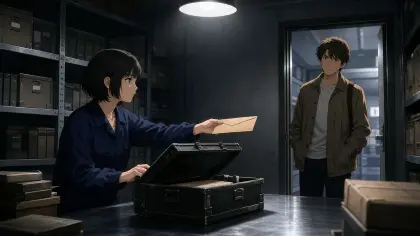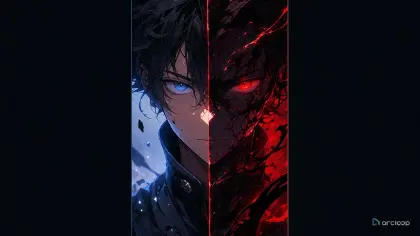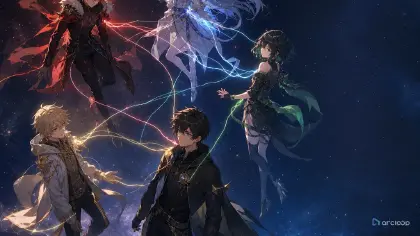
Claude Opus 5.5 can turn a video idea into a timed scene plan and a production ready prompt. In this tutorial, we use Claude to plan a short film, create original visual references, then use Arcloop to generate and review the video with Seedance 2.5. The cyberpunk courier flight is our example, but the workflow works for other genres too.
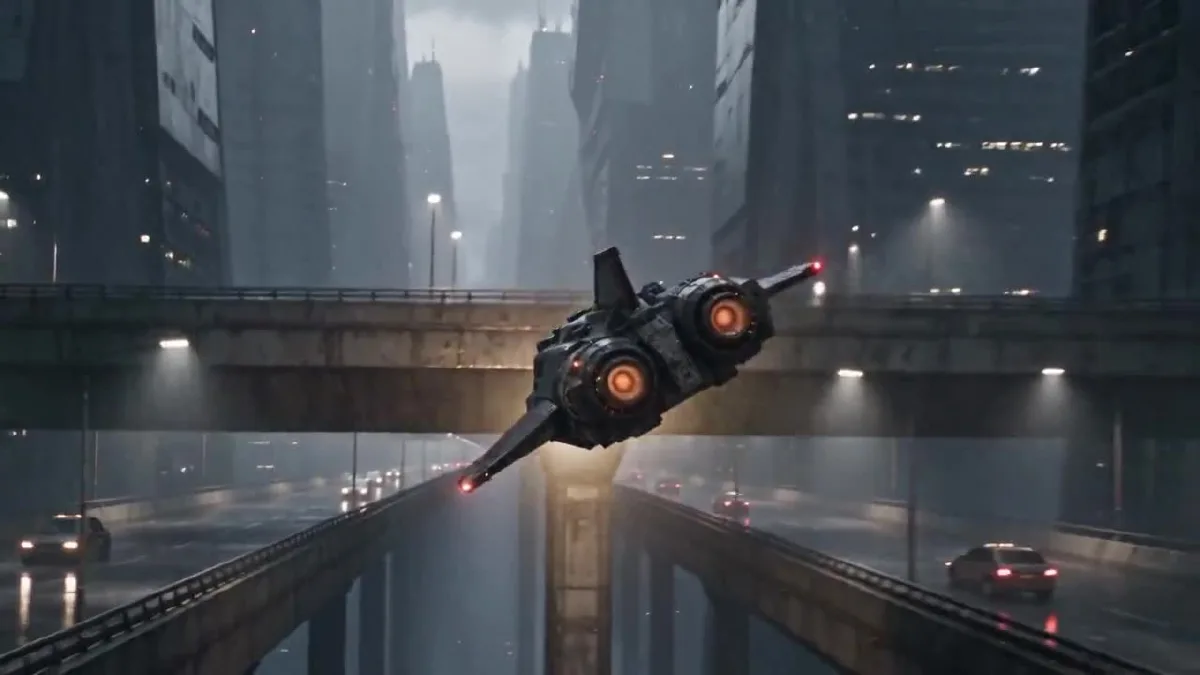
A frame from the finished 24 second video.
Claude handles planning and prompt writing. Arcloop keeps the creative work and references together and runs the video generation. Seedance 2.5 generated the final clip. The reference images in this example were made separately with an image generation tool.
How to Make an AI Video with Claude Opus 5.5: Step by Step Guide
Step 1. Plan Your Scene with Claude
Start with the story, not camera jargon. Tell Claude what happens, who is present, what the finished video should feel like, and what must stay consistent. Ask for a short timed plan before asking for the final video prompt.
This is the planning instruction used for the example:
Act as the director and continuity supervisor for a 24 second photorealistic short film.

The story is about an adult Korean female courier pilot flying a worn civilian spacecraft through a rainy city at night. The footage should feel like an American or European observational documentary, captured by a real camera. Keep the performance grounded and the framing imperfect. Avoid the polished look of a game trailer.

I will provide two visual references. The pilot sheet defines the character's face, hair, clothing, and build. The spacecraft sheet defines the exterior design and cockpit layout. Keep these details consistent throughout the video.

The pilot makes one controlled bank around a concrete tower, passes below an elevated traffic lane, corrects the ship, and continues along the route. Give each hand one clear control action. Keep the spacecraft's motion physically readable.

First return a five beat plan in a table with approximate time, what the viewer sees, the character or ship action, and the camera move. Make the five beats connect as one short film. Then list continuity details that must not change. Do not write the final video prompt yet.
Claude's plan became this five beat sequence. The timing follows the finished edit, with small variations between the planned and generated cuts.
| Time | What we see | Main action |
|---|---|---|
| 0 to 4 seconds | Rainy traffic deck and city canyon | The ship rushes past the lens, then banks into the canyon. |
| 4 to 8 seconds | Amber cockpit light and pilot profile | The camera reveals the pilot checking the route. |
| 8 to 12 seconds | Hands and center console | Her right hand corrects the flight path as her left advances the throttle. |
| 12 to 18 seconds | Ship beside a concrete tower | The ship banks close to the tower and passes under the elevated lane. |
| 18 to 24 seconds | Pilot and open flight corridor | She steadies the ship and continues into the open route. |
The fixed details are the same pilot, outfit, cockpit, spacecraft silhouette, weather, lighting palette, and direction of travel. A timed plan gives Claude and the video model one clear action to handle at a time.
Step 2. Create Your Character and Spacecraft References
We used two original reference sheets. They are visual guides, not frames copied from an existing film or game. The character sheet gives the video model front, side, and full body views of the pilot. The spacecraft sheet holds the outside design and cockpit in one image, so the vehicle and its interior stay related.
The sheets were made with an image generation tool outside Arcloop. The original prompt text was not saved with the image files, so the prompts below are faithful, reusable reconstructions based on the final references.
Pilot reference prompt
Create one photorealistic live action character reference sheet of an original adult Korean female spacecraft pilot. Plain light gray studio background, soft even lighting, no cinematic shadows. Arrange four clean views in a precise 2 by 2 grid with narrow white dividers: chest up front view, chest up left profile, full body front view, full body rear view. Show the same adult woman in all four panels with the same face, proportions, high dark ponytail, fitted black flight jacket, utility trousers, belt, gloves, and black boots. Neutral expression and relaxed standing pose. Practical worn clothing, realistic skin texture, natural anatomy. Keep every view fully inside its own panel. No weapons, no logos, no text, no extra people, no illustration, no anime, no collage overlap.
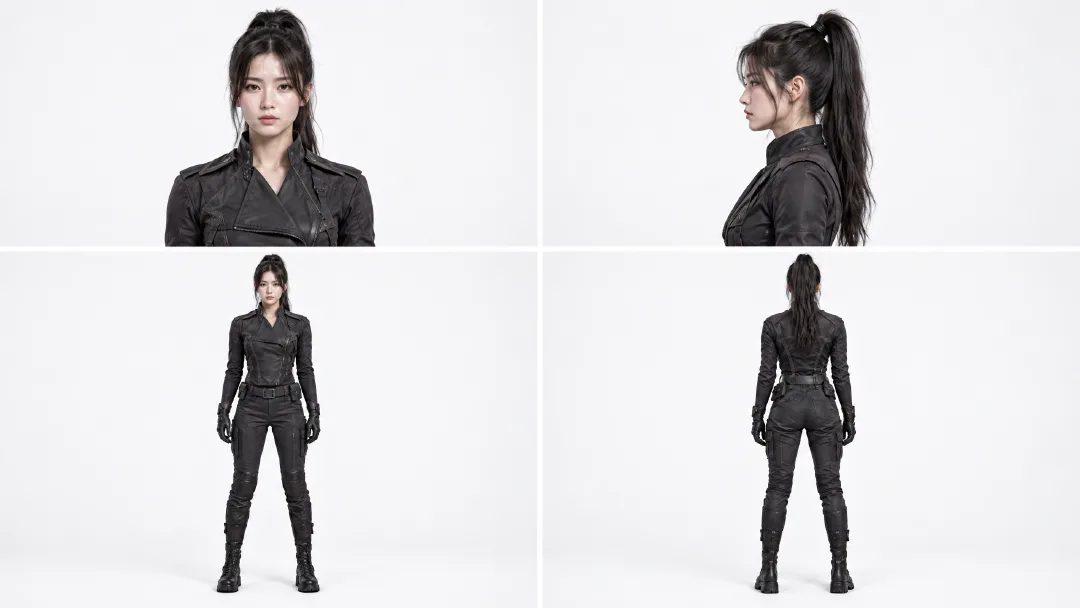
The four views help the model keep her face, ponytail, outfit, and proportions recognizable from different camera angles.
Spacecraft and cockpit reference prompt
Create one photorealistic industrial design reference sheet for an original worn civilian courier spacecraft. Use a plain light gray studio background and soft neutral lighting. Arrange four exterior views across the sheet: front three quarter view, front view, side view, rear view, and a top view along the bottom. Add one large cockpit interior inset in the upper right. The same compact spacecraft must appear in every view with a blunt angular canopy, short swept stabilizers, one tall dorsal fin, two circular rear thrusters, weathered gunmetal panels, and restrained burgundy armor sections. The cockpit inset shows two dark worn seats, a rain streaked angular canopy, practical amber instrument lights, mechanical flight controls, and a central throttle. Maintain the same silhouette, proportions, materials, and control layout in every view. Realistic engineering, visible wear, no people, no weapons, no logos, no readable text, no illustration, no animation.
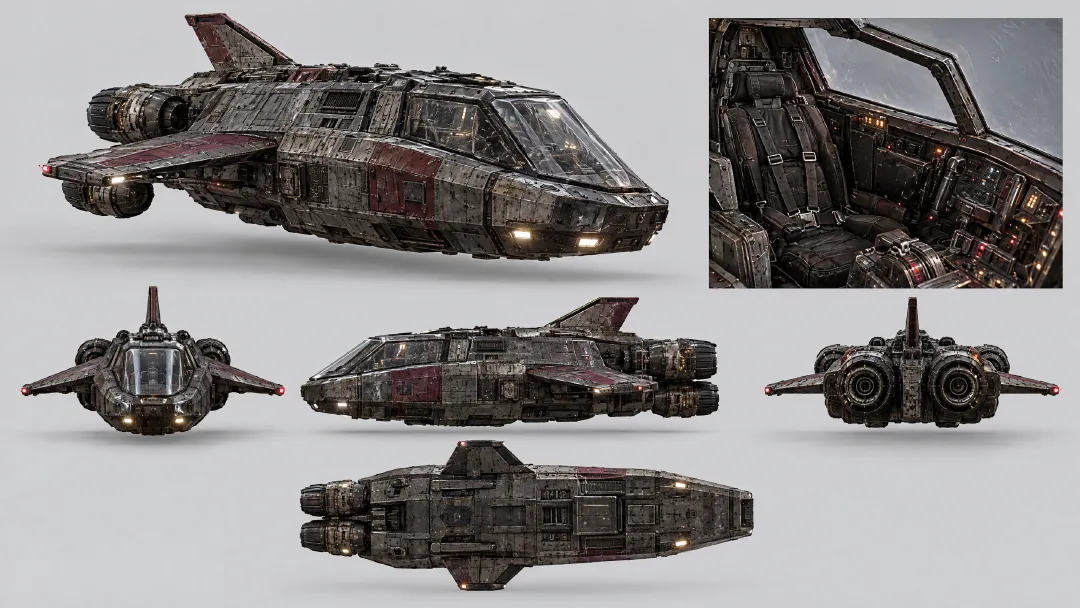
The exterior views lock the ship's shape and colors. The cockpit inset tells the model where the seats, canopy, instruments, and throttle belong.
Attach both sheets to the same video task. The pilot reference controls her appearance. The spacecraft sheet controls the vehicle exterior and cockpit. Do not ask the model to invent these details again in each beat.
Step 3. Write Your Video Prompt with Claude
Give Claude the five beat plan and tell it to turn the plan into one prompt for the video model. Ask it to preserve continuity and use the references for identity and design. In this run, the final generation prompt combined all five beats in one task.
Use the five beat plan and continuity list above to write one final prompt for a single 24 second video generation. The attached pilot sheet is the fixed character reference. The attached spacecraft sheet is the fixed exterior and cockpit reference.

In the final prompt, refer to the attached Arcloop assets with the exact labels @korean pilot and @ship. Use @korean pilot for the character and @ship for the spacecraft and cockpit.

Keep the five beats in time order, with one readable action in each. Preserve the same pilot, clothing, cockpit, ship silhouette, rain, lighting, and direction of travel. Use photorealistic live action observational documentary camera language: imperfect framing, subtle handheld vibration, rain on the protective lens, practical light, realistic panning blur, and fine 35mm grain. Keep the neon restrained and the flying motion believable.

Return only the complete copyable video prompt. Do not add explanations, headings, or separate prompts for separate clips.
Final video prompt
Create one continuous 24 second photorealistic live action cyberpunk pseudo documentary video, not a storyboard. Use @korean pilot as the fixed identity and wardrobe reference. Use @ship as the fixed exterior spacecraft and cockpit reference. Preserve the pilot's face, high ponytail, black flight clothing, gloves, and boots. Preserve the ship's angular canopy, short swept stabilizers, tall dorsal fin, twin circular rear thrusters, weathered gunmetal hull, muted burgundy armor, cockpit seats, instruments, and control positions.

The footage feels like an American or European observational documentary captured from inside a real camera vehicle and cockpit. Use imperfect framing, subtle handheld vibration, rain on the protective lens, breathing focus, realistic panning blur, fine 35mm grain, practical amber cockpit lamps, and cool city light. Keep the neon restrained. The flight has believable weight and inertia.

0 to 4 seconds: Begin in the middle of the action. The courier ship blasts close past the camera above a rain soaked traffic deck, throwing water across the lens. Whip pan once and catch it from behind as it dives between concrete towers. It makes one tight bank under an elevated traffic lane. The twin thrusters flare amber. Move fast through the pass, briefly slow at the closest point of the bank, then return to full speed.

4 to 8 seconds: Cut on the amber thruster flare to an amber cockpit status lamp vibrating with the engine. Slide across practical gauges to the pilot's left glove advancing the throttle one notch. Rise along the harness to her focused profile. Rack focus from the gauge needles to her eyes as she checks the rain streaked route outside. Her right hand closes around the flight control.

8 to 12 seconds: Cut to a low view above the center console. Her right hand makes one small roll correction while her left hand advances the throttle slightly. The gauge needles rise and the rain streaks tilt as the ship banks. Roll the camera with the ship, then return to her steady eyeline. Her shoulders press naturally into the harness.

12 to 18 seconds: Match the cockpit light to the exterior. Track backward in front of the same ship as a concrete tower fills one side of the frame. The ship banks once and threads the gap between the tower and the elevated traffic lane. A support beam briefly crosses the foreground, then reveals the ship dropping into open air as both thrusters flare. Slow briefly at the closest pass, then accelerate. No collision.

18 to 24 seconds: Cut from the thruster flare to the same cockpit lamp. The pilot eases the throttle back to cruise and centers the flight control. Follow her arm past the harness buckle to her profile as the ship finishes the bank. The city canyon opens into a rain soaked flight corridor. The warning pulse stops and the horizon levels. She exhales once without looking at the camera. Rack focus from her eyes to the open route and hold the final frame for half a second.

Keep hands anatomically correct and controls in the same positions. Keep the same camera side when returning to the pilot. One spacecraft only. No extra crew, weapons, explosions, logos, readable text, glamour posing, direct eye contact, illustration, animation, or glossy commercial lighting.
If you adapt this prompt, replace the story, character, vehicle, and location details. Keep the timed beats and continuity rules that still fit your project.
Step 4. Generate Your Video in Arcloop
Open the project chat in Arcloop and start a video task. Attach the pilot sheet and spacecraft sheet as references, then mention them in the prompt as @korean pilot and @ship. Paste the final video prompt into the task. In the generation settings, choose Seedance 2.5, 720p, 16:9, and 24 seconds. Review the task card, confirm it lists two references and an estimate of 5,414 credits, then start generation.
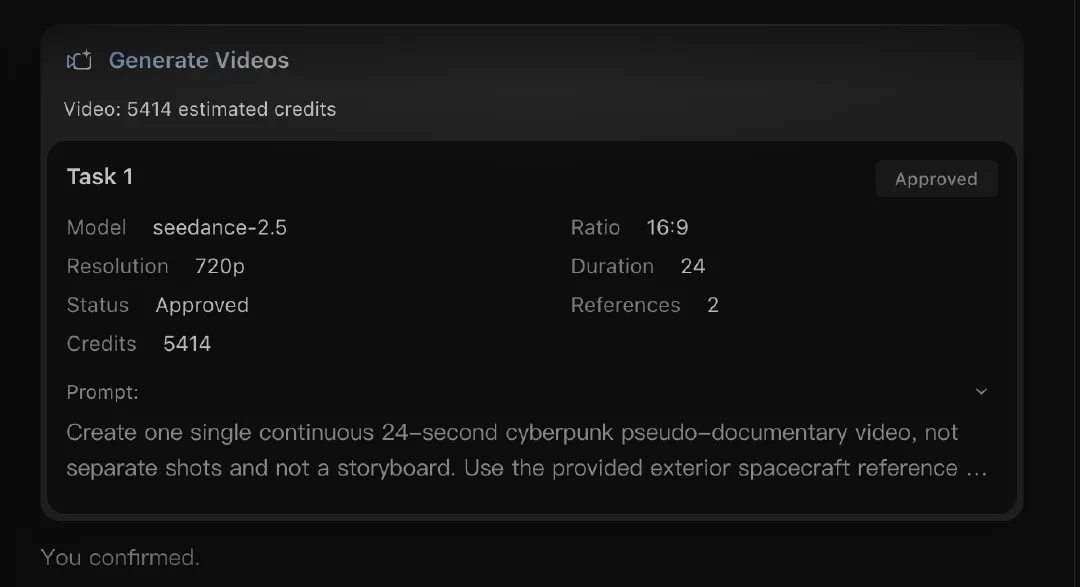
The actual task used Seedance 2.5 with two references. Review the displayed estimate before starting because credit use changes with the model and settings.
Generate one video task. Do not submit each beat as a separate task. That keeps the prompt, references, and resulting clip together. The screenshot shows the settings and prompt area used for this run.
Step 5. Review and Refine Your Video
Watch the whole clip once for pacing. Then check the details that are easiest to lose between shots: the pilot's face and clothing, her hand positions, the ship silhouette, cockpit layout, flight direction, and the documentary camera feel. Check the audio for engine, rain, warning tones, and control movement.
The approved render is 24.064 seconds at 1280 by 720 and 24 frames per second. It has five visual beats, with no black frames or long freezes. The pilot remains recognizable in the cockpit shots and the ship keeps its twin thruster silhouette in the exterior shots. These are observations from this render, not a guarantee that every generation will match.
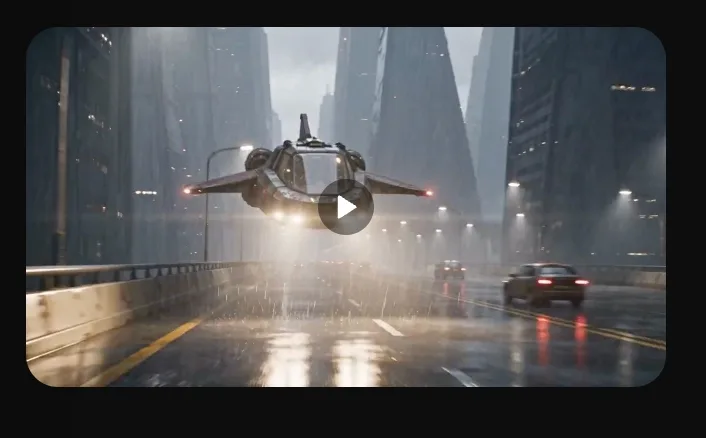
The completed task and video preview.
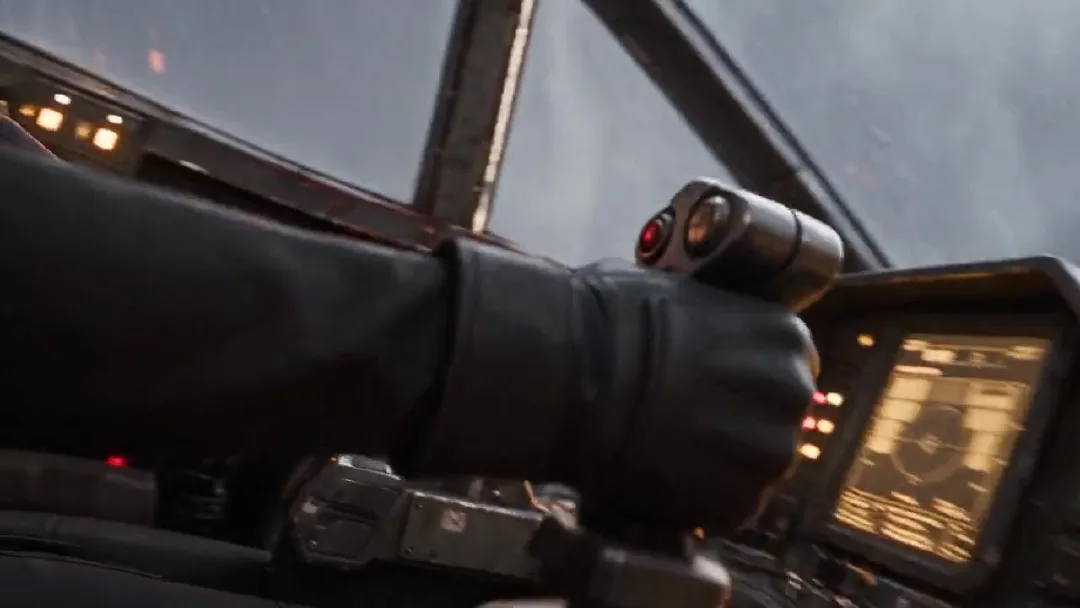
Review hand placement and cockpit continuity in the generated footage.
If an identity or control detail drifts, edit that specific instruction and run another version. If the pacing feels rushed, simplify the beats before adding more camera moves.
Frequently Asked Questions About Making AI Videos with Claude Opus 5.5
Do I need Claude Code or coding skills to follow this tutorial?
No. Use Claude Opus 5.5 in a regular chat. Paste the planning instruction, review its timed plan, then ask it to prepare a video prompt. No code is part of this workflow.
Which image and video models can I use in Arcloop?
This example used separately generated image references and Seedance 2.5 for video. Arcloop's current model list includes Seedream 5, GPT Image 2, and GPT Image 2.5 for images, plus Seedance 2, Seedance 2.5, MiniMax H3, and MiniMax H3 Max for video. Availability can change, so check the Arcloop model list for current options.
How much does it cost to make a video with this workflow?
Claude's plan or API charges are separate from Arcloop credits. This Seedance 2.5 task estimated 5,414 Arcloop credits for 24 seconds at 720p with two references. Your total depends on the model, duration, resolution, and number of attempts. Arcloop displays an estimate before generation. Open Arcloop to check current plans and credit estimates before you start.
Can I use the same workflow to create other types of videos?
Yes. Replace the pilot with your character, the courier ship with your setting or prop, and the city flight with one clear action. Keep the same order: ask Claude for timed beats, prepare references, turn the plan into one prompt, generate in Arcloop, then review continuity and pacing.