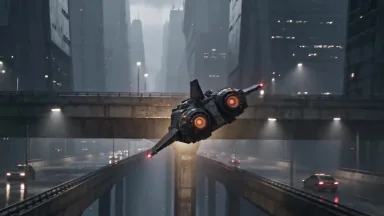
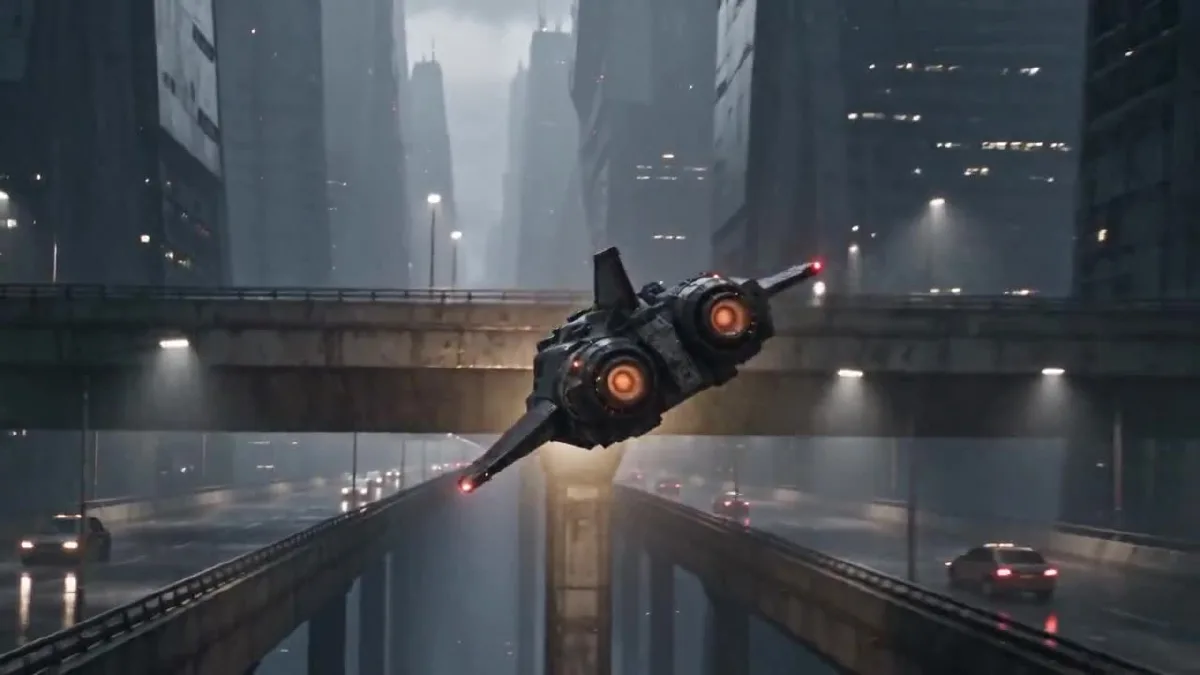
Claude Opus 5.5 puede convertir una idea de video en un plan de escenas con tiempos y en un prompt listo para usar. En este tutorial, usamos Claude para planificar un cortometraje, preparamos referencias visuales originales y después generamos y revisamos el video con Arcloop y Seedance 2.5. El vuelo de una nave de mensajería cyberpunk es el ejemplo, pero el flujo sirve para otros géneros.
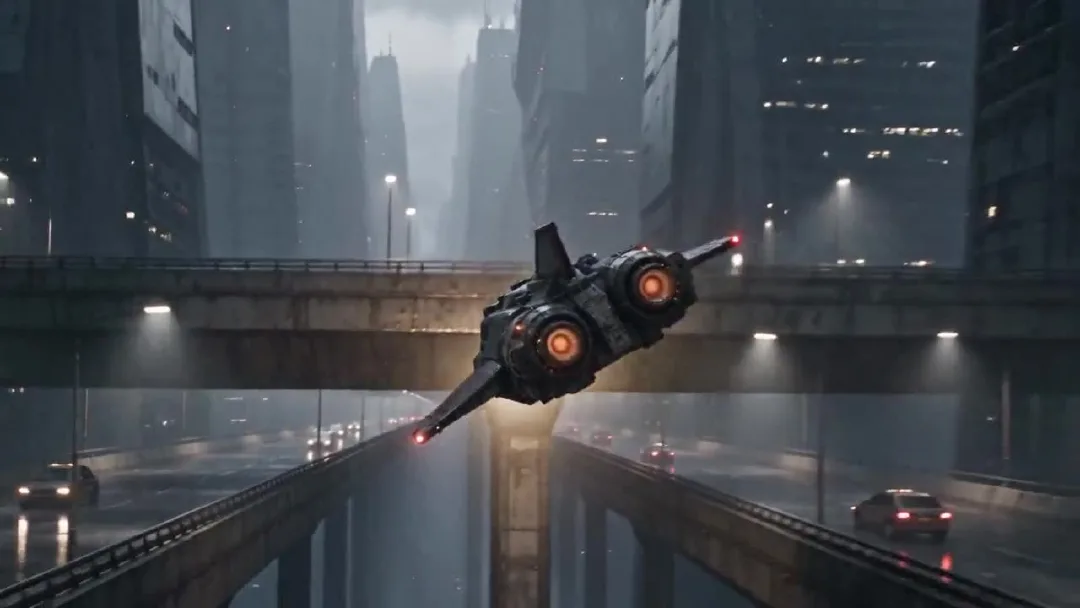
Un fotograma del video final de 24 segundos.
Claude se encarga de la planificación y de redactar prompts. Arcloop reúne los recursos y ejecuta la generación del video. Seedance 2.5 generó el clip final. Las imágenes de referencia se crearon aparte, con una herramienta de generación de imágenes externa a Arcloop.
Cómo crear un video con IA usando Claude Opus 5.5: guía paso a paso
Paso 1. Planifica la escena con Claude
Empieza por la historia y la imagen que quieres conseguir. Después añade los términos de cámara que hagan falta. Explica a Claude qué ocurre, quién aparece, qué sensación debe transmitir el video y qué elementos deben mantenerse iguales. Primero pídele un plan con tiempos y, después, el prompt final para el video.
Estas son las instrucciones de planificación que usamos en el ejemplo:
Act as the director and continuity supervisor for a 24 second photorealistic short film.

The story is about an adult Korean female courier pilot flying a worn civilian spacecraft through a rainy city at night. The footage should feel like an American or European observational documentary, captured by a real camera. Keep the performance grounded and the framing imperfect. Avoid the polished look of a game trailer.

I will provide two visual references. The pilot sheet defines the character's face, hair, clothing, and build. The spacecraft sheet defines the exterior design and cockpit layout. Keep these details consistent throughout the video.

The pilot makes one controlled bank around a concrete tower, passes below an elevated traffic lane, corrects the ship, and continues along the route. Give each hand one clear control action. Keep the spacecraft's motion physically readable.

First return a five beat plan in a table with approximate time, what the viewer sees, the character or ship action, and the camera move. Make the five beats connect as one short film. Then list continuity details that must not change. Do not write the final video prompt yet.
Convertimos el plan de Claude en estos cinco momentos. Los tiempos son aproximados y siguen los cortes del video terminado.
| Tiempo | Qué vemos | Acción principal |
|---|---|---|
| 0 a 4 segundos | Plataforma de tráfico mojada y cañón urbano | La nave pasa junto al objetivo y gira hacia el cañón. |
| 4 a 8 segundos | Luz ámbar de la cabina y perfil de la piloto | La cámara muestra a la piloto comprobando la ruta. |
| 8 a 12 segundos | Manos y consola central | La mano derecha corrige el rumbo y la izquierda avanza el acelerador. |
| 12 a 18 segundos | Nave junto a una torre de hormigón | La nave rodea la torre y pasa bajo una vía elevada. |
| 18 a 24 segundos | Piloto y corredor aéreo abierto | Estabiliza la nave y sigue su ruta. |
La piloto, su ropa, la cabina, la silueta de la nave, el clima, la luz y la dirección de vuelo deben mantenerse constantes. Dividir la secuencia por tiempo ayuda a que cada momento tenga una acción clara.
Paso 2. Crea las referencias de la piloto y la nave
Este proyecto usa dos láminas de referencia originales, no fotogramas de una película o un videojuego existente. La lámina de la piloto muestra vistas de frente, de perfil y de cuerpo entero para conservar su aspecto desde distintos ángulos. La lámina de la nave combina varias vistas exteriores con una imagen de la cabina para mantener coherentes el vehículo y su interior.
Los archivos no conservaban el texto original de generación. Por eso, los siguientes prompts son reconstrucciones reutilizables basadas en las imágenes finales. Los dejamos en inglés para que puedas copiarlos en un generador de imágenes.
Prompt de referencia para la piloto
Create one photorealistic live action character reference sheet of an original adult Korean female spacecraft pilot. Plain light gray studio background, soft even lighting, no cinematic shadows. Arrange four clean views in a precise 2 by 2 grid with narrow white dividers: chest up front view, chest up left profile, full body front view, full body rear view. Show the same adult woman in all four panels with the same face, proportions, high dark ponytail, fitted black flight jacket, utility trousers, belt, gloves, and black boots. Neutral expression and relaxed standing pose. Practical worn clothing, realistic skin texture, natural anatomy. Keep every view fully inside its own panel. No weapons, no logos, no text, no extra people, no illustration, no anime, no collage overlap.
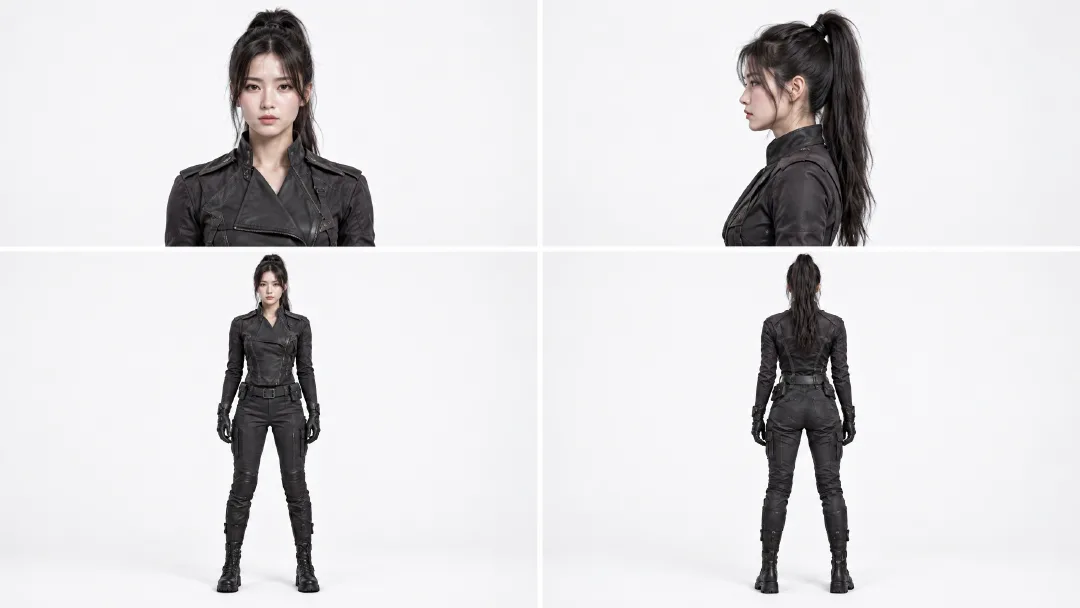
Las vistas ayudan a mantener el rostro, la coleta, la ropa y las proporciones de la piloto entre planos.
Prompt de referencia para la nave y la cabina
Create one photorealistic industrial design reference sheet for an original worn civilian courier spacecraft. Use a plain light gray studio background and soft neutral lighting. Arrange four exterior views across the sheet: front three quarter view, front view, side view, rear view, and a top view along the bottom. Add one large cockpit interior inset in the upper right. The same compact spacecraft must appear in every view with a blunt angular canopy, short swept stabilizers, one tall dorsal fin, two circular rear thrusters, weathered gunmetal panels, and restrained burgundy armor sections. The cockpit inset shows two dark worn seats, a rain streaked angular canopy, practical amber instrument lights, mechanical flight controls, and a central throttle. Maintain the same silhouette, proportions, materials, and control layout in every view. Realistic engineering, visible wear, no people, no weapons, no logos, no readable text, no illustration, no animation.
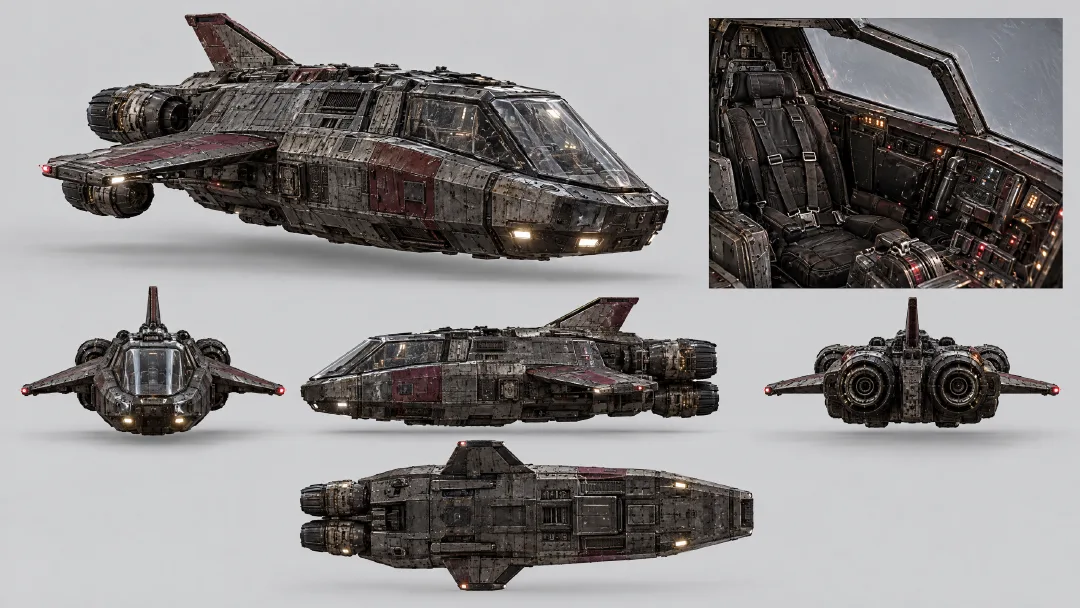
Las vistas exteriores fijan la forma y los colores de la nave. El recuadro de la cabina fija los asientos, la cubierta, los instrumentos y el acelerador.
Adjunta ambas imágenes a la misma tarea de video. La referencia de la piloto controla su aspecto y la de la nave fija el exterior y la cabina. No hace falta inventar esos detalles de nuevo en cada momento.
Paso 3. Escribe el prompt del video con Claude
Entrega a Claude los cinco momentos y las reglas de continuidad. Pídele que los convierta en un solo prompt para el modelo de video, usando las referencias para fijar la identidad y el diseño. En este ejemplo, los cinco momentos forman una única tarea de generación.
Use the five beat plan and continuity list above to write one final prompt for a single 24 second video generation. The attached pilot sheet is the fixed character reference. The attached spacecraft sheet is the fixed exterior and cockpit reference.

In the final prompt, refer to the attached Arcloop assets with the exact labels @korean pilot and @ship. Use @korean pilot for the character and @ship for the spacecraft and cockpit.

Keep the five beats in time order, with one readable action in each. Preserve the same pilot, clothing, cockpit, ship silhouette, rain, lighting, and direction of travel. Use photorealistic live action observational documentary camera language: imperfect framing, subtle handheld vibration, rain on the protective lens, practical light, realistic panning blur, and fine 35mm grain. Keep the neon restrained and the flying motion believable.

Return only the complete copyable video prompt. Do not add explanations, headings, or separate prompts for separate clips.
Prompt final de video
Create one continuous 24 second photorealistic live action cyberpunk pseudo documentary video, not a storyboard. Use @korean pilot as the fixed identity and wardrobe reference. Use @ship as the fixed exterior spacecraft and cockpit reference. Preserve the pilot's face, high ponytail, black flight clothing, gloves, and boots. Preserve the ship's angular canopy, short swept stabilizers, tall dorsal fin, twin circular rear thrusters, weathered gunmetal hull, muted burgundy armor, cockpit seats, instruments, and control positions.

The footage feels like an American or European observational documentary captured from inside a real camera vehicle and cockpit. Use imperfect framing, subtle handheld vibration, rain on the protective lens, breathing focus, realistic panning blur, fine 35mm grain, practical amber cockpit lamps, and cool city light. Keep the neon restrained. The flight has believable weight and inertia.

0 to 4 seconds: Begin in the middle of the action. The courier ship blasts close past the camera above a rain soaked traffic deck, throwing water across the lens. Whip pan once and catch it from behind as it dives between concrete towers. It makes one tight bank under an elevated traffic lane. The twin thrusters flare amber. Move fast through the pass, briefly slow at the closest point of the bank, then return to full speed.

4 to 8 seconds: Cut on the amber thruster flare to an amber cockpit status lamp vibrating with the engine. Slide across practical gauges to the pilot's left glove advancing the throttle one notch. Rise along the harness to her focused profile. Rack focus from the gauge needles to her eyes as she checks the rain streaked route outside. Her right hand closes around the flight control.

8 to 12 seconds: Cut to a low view above the center console. Her right hand makes one small roll correction while her left hand advances the throttle slightly. The gauge needles rise and the rain streaks tilt as the ship banks. Roll the camera with the ship, then return to her steady eyeline. Her shoulders press naturally into the harness.

12 to 18 seconds: Match the cockpit light to the exterior. Track backward in front of the same ship as a concrete tower fills one side of the frame. The ship banks once and threads the gap between the tower and the elevated traffic lane. A support beam briefly crosses the foreground, then reveals the ship dropping into open air as both thrusters flare. Slow briefly at the closest pass, then accelerate. No collision.

18 to 24 seconds: Cut from the thruster flare to the same cockpit lamp. The pilot eases the throttle back to cruise and centers the flight control. Follow her arm past the harness buckle to her profile as the ship finishes the bank. The city canyon opens into a rain soaked flight corridor. The warning pulse stops and the horizon levels. She exhales once without looking at the camera. Rack focus from her eyes to the open route and hold the final frame for half a second.

Keep hands anatomically correct and controls in the same positions. Keep the same camera side when returning to the pilot. One spacecraft only. No extra crew, weapons, explosions, logos, readable text, glamour posing, direct eye contact, illustration, animation, or glossy commercial lighting.
Para adaptar el prompt, cambia la historia, los personajes, el vehículo y el lugar. Conserva los tiempos y las reglas de continuidad que encajen con tu proyecto.
Paso 4. Genera el video en Arcloop
Abre el chat del proyecto en Arcloop y crea una tarea de video. Adjunta las referencias de la piloto y la nave y menciónalas en el prompt como @korean pilot y @ship. Pega el prompt final y selecciona Seedance 2.5, 720p, 16:9 y 24 segundos. Antes de generar, comprueba que la tarjeta de la tarea muestre dos referencias y una estimación de 5.414 créditos.
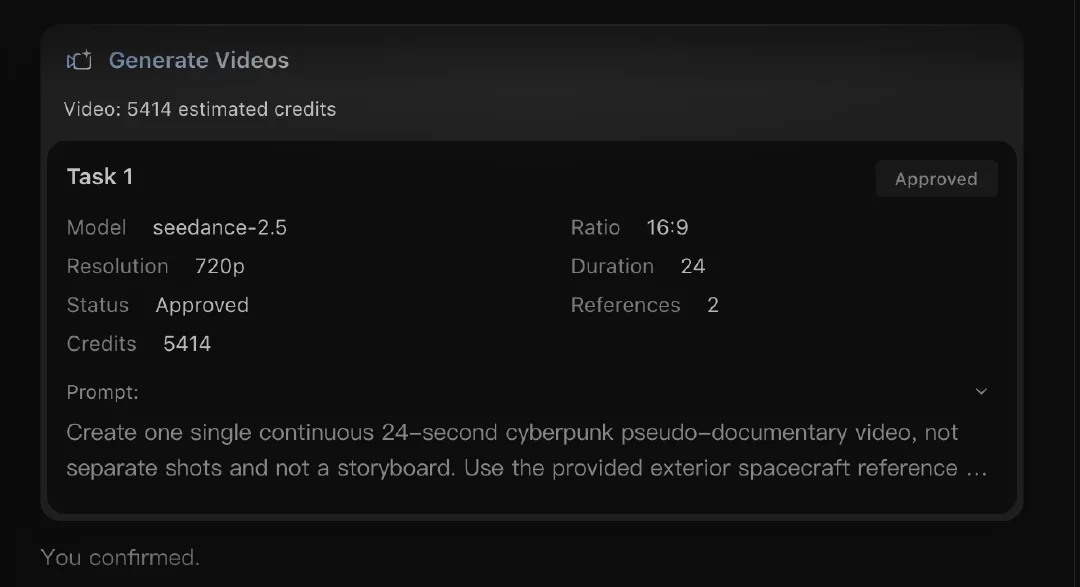
La tarea real usó Seedance 2.5 y dos referencias. El consumo cambia según el modelo y los ajustes, así que revisa la estimación antes de empezar.
Genera una sola tarea de video, no una tarea independiente por cada momento. Así, el prompt, las referencias y el clip quedan juntos.
Paso 5. Revisa y ajusta el video
Primero mira el clip entero para comprobar el ritmo. Después revisa los detalles que pueden cambiar entre planos: el rostro y la ropa de la piloto, la posición de las manos, la silueta de la nave, la cabina, la dirección de vuelo y el estilo documental. Comprueba también el sonido del motor, la lluvia, las alarmas y los controles.
El render aprobado dura 24,064 segundos, tiene una resolución de 1280 por 720 y 24 fps. Incluye cinco momentos visuales y no tiene fotogramas negros ni pausas largas. La piloto se reconoce en las tomas de cabina y la nave conserva la silueta con dos propulsores. Son observaciones de este resultado, no una garantía para cada generación.
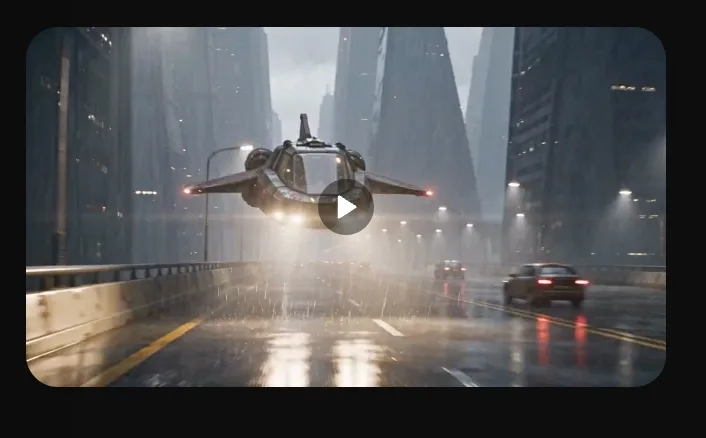
La tarea completada y la vista previa del video.
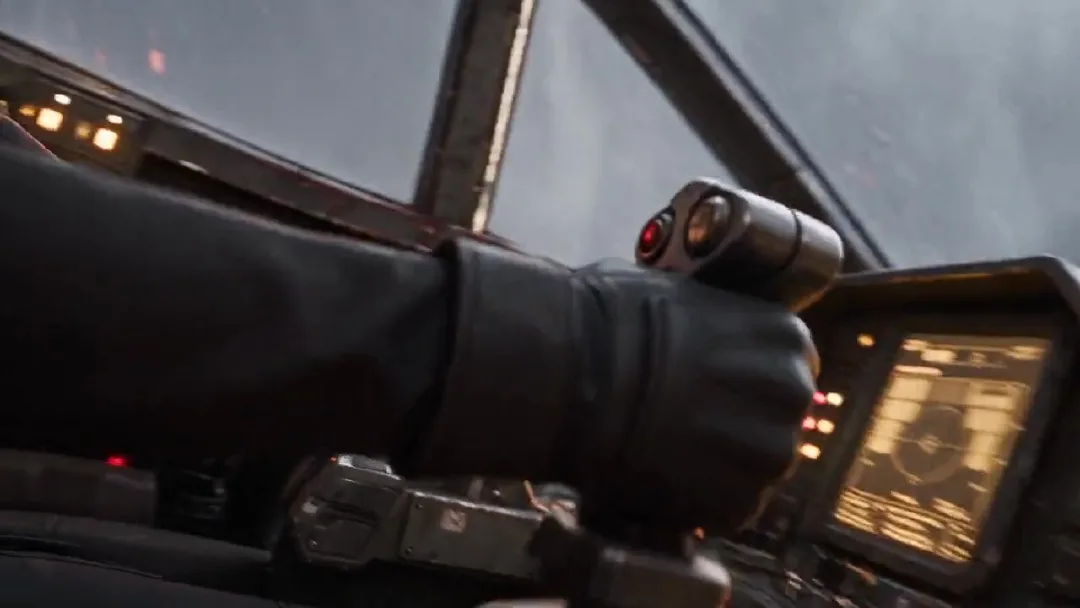
Comprueba la posición de las manos y la continuidad de la cabina.
Si cambia un detalle de identidad o de los controles, modifica esa instrucción y vuelve a generar. Si el ritmo es demasiado rápido, simplifica las acciones antes de añadir más movimientos de cámara.
Preguntas frecuentes sobre cómo crear videos con Claude Opus 5.5
¿Necesito Claude Code o saber programar?
No. Usa un chat normal de Claude. Pega las instrucciones de planificación, revisa el plan con tiempos y pídele que prepare el prompt del video. No se necesita código.
¿Qué modelos de imagen y video puedo usar en Arcloop?
En este ejemplo, las referencias se generaron fuera de Arcloop y el video se hizo con Seedance 2.5. La lista actual de Arcloop incluye Seedream 5, GPT Image 2 y GPT Image 2.5 para imágenes; y Seedance 2, Seedance 2.5, MiniMax H3 y MiniMax H3 Max para video. La disponibilidad puede cambiar; consulta la lista de modelos de Arcloop.
¿Cuánto cuesta crear un video con este flujo?
El plan o la API de Claude se cobran aparte de los créditos de Arcloop. Esta tarea con Seedance 2.5 estimó 5.414 créditos para 24 segundos a 720p con dos referencias. El coste depende del modelo, la duración, la resolución y los intentos. Arcloop muestra una estimación antes de generar. Inicia sesión en tu cuenta de Arcloop para consultar los planes y precios actuales.
¿Puedo usar este flujo para otros tipos de video?
Sí. Cambia la piloto por tu personaje, sustituye la nave por tu escenario u objeto y dale una acción clara. El orden sigue siendo el mismo: planifica los momentos con Claude, prepara referencias, crea un solo prompt, genera en Arcloop y revisa continuidad y ritmo.