廣告創意尚未驗證時,製作三支完全不同的影片,很難判斷變化來自哪裡。更清楚的測試方式是固定文案、產品和動作,只改變視覺呈現。本指南以虛構的收納購物袋廣告為例,在 Arcloop 製作三種短片版本。
這些是創意變體,並不能證明某種風格更能帶來銷售。若要衡量成效,請匯出影片,並在影片生成流程之外進行受控的受眾測試。
1. 固定訊息與腳本
選定一項產品和一種使用情境。範例中,可收納購物袋能幫助下班的人裝好採買的商品。三個版本的口白與行動呼籲都保持相同。
Your hands are full on the way home.
Unfold the FoldDay tote and load what you picked up.
When you are done, fold it back into its pocket.
FoldDay. Ready when you need it.
FoldDay 是虛構名稱。可替換成自己的品牌名稱,但不要加入產品不具備的承諾。
2. 準備一張產品參考圖與一份分鏡
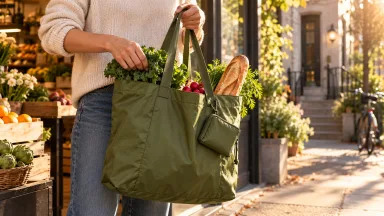
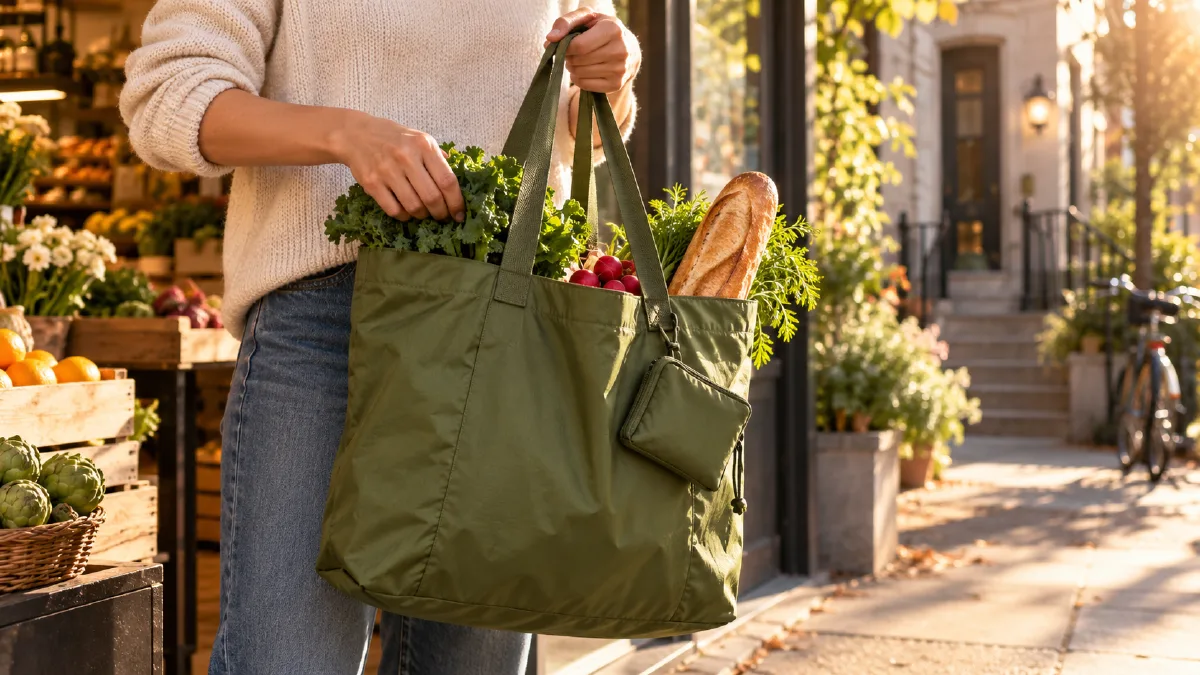
建立或上傳一張清楚的袋子參考圖,固定顏色、提把、收納口袋和比例。三個版本都採用相同的 12 秒動作順序:0–3 秒展開袋子,3–8 秒放入採買的商品,8–12 秒將袋子摺回口袋。
每個版本都附上同一張參考圖。它能固定袋子的設計,同時讓真實環境的光線、攝影方式與場景改變。鏡頭順序與目標長度也保持一致,讓視覺風格成為主要變因。
3. 生成三種風格版本
在 Arcloop 使用相同的產品參考圖與動作規劃。三個版本都採寫實場景,每次只改變真實拍攝方式,並分別使用下列提示詞。如果專案的整體視覺設定限制了某種風格,可使用相同參考圖與分鏡單獨建立該版本。
版本 A:日常生活風格
Create a photorealistic 12 second ad showing the same packable tote in three timed beats. 0 to 3 seconds: unfold the tote. 3 to 8 seconds: place groceries inside. 8 to 12 seconds: fold it into its pocket. Natural late afternoon light in a real apartment entryway, practical handheld camera, lived-in details, calm and useful mood. Keep the tote's color, handles, pocket, and proportions identical to the attached reference. No illustration, animation, or text.
版本 B:精緻棚拍商業廣告
Create a photorealistic 12 second ad showing the same packable tote in three timed beats. 0 to 3 seconds: unfold the tote. 3 to 8 seconds: place groceries inside. 8 to 12 seconds: fold it into its pocket. Shoot on a clean warm-white studio set with soft directional product lighting, a smooth controlled camera move, realistic fabric detail, and a polished commercial mood. Keep the tote's color, handles, pocket, and proportions identical to the attached reference. No illustration, animation, or text.
版本 C:街頭紀實風格
Create a photorealistic 12 second ad showing the same packable tote in three timed beats. 0 to 3 seconds: unfold the tote. 3 to 8 seconds: place groceries inside. 8 to 12 seconds: fold it into its pocket. Film outside a neighborhood market in late afternoon, with warm natural light, restrained handheld camera movement, real pavement and shopfront details, and an observational street-photography mood. Keep the tote's color, handles, pocket, and proportions identical to the attached reference. No illustration, animation, or text.
每個版本都附上產品參考圖。風格提示應改變環境的呈現方式,而不是重新設計袋子。若某個版本讓產品外觀走樣,先簡化風格,或重新生成該鏡頭再剪輯。
4. 使用相同音訊與節奏剪輯
為每種風格生成鏡頭後,依照相同順序放進 Edit 時間軸。三個版本使用相同的旁白、音樂、字幕與大致片長,並修剪至相同目標長度,讓比較聚焦在視覺風格。
| 檢查項目 | 自我提問 |
|---|---|
| 產品辨識度 | 每種風格都看得出是同一個袋子嗎? |
| 動作 | 展開、裝入商品、摺回口袋是否清楚? |
| 訊息 | 相同腳本是否都適合畫面? |
| 一致性 | 產品設計與鏡頭順序是否固定? |
Arcloop 的分鏡與 Edit 工作流程可先生成、檢查鏡頭,再編排完成影片;它不會自動判斷哪個版本表現最好。
5. 決定下一輪測試
選擇最能清楚傳達產品、也符合目標受眾的版本。如果有兩個版本都可用,請在相同受眾、版位、預算與活動期間測試。比較實際數據,不要把個人偏好當成成效證據。
若三個版本都不理想,不要同時改動所有變因。保持腳本與產品不變,只調整一種視覺方向或一個鏡頭,讓下一輪測試有明確目的。
常見問題
Arcloop 可以一鍵自動產生三種廣告版本嗎?
本流程使用同一份簡報與分鏡,分別製作三種視覺版本。請逐一檢查並生成,不要預設平台會自動複製所有素材或設定。
如何知道哪種風格表現最好?
預覽可以協助判斷產品與訊息是否清楚,但不能證明廣告成效。請在平台外進行受控測試,比較受眾反應。
可以改腳本而不是改視覺風格嗎?
可以,但這是在測試不同變因。如果同時更改腳本與視覺風格,就無法判斷是哪一項造成差異。
可閱讀 Arcloop AI 影片製作與編輯指南,了解分鏡與時間軸工作流程。
**CTA:**在 Arcloop 製作廣告變體